Ze

Ze

Diag

Diag

Revit crashed. The log is already read.

Revit crashed. The log is already read.

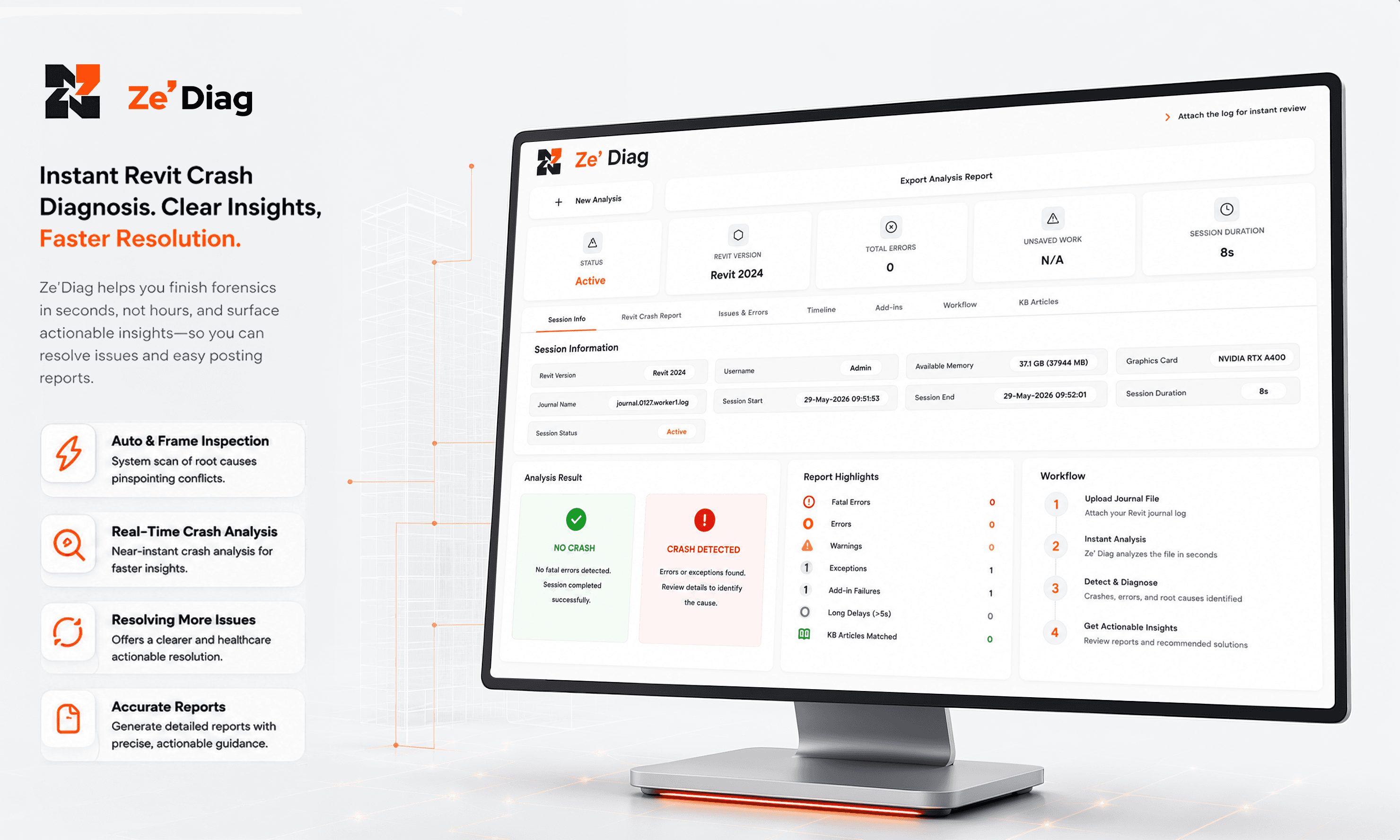
Automatic journal file analysis. Crash cause identified. Recurring issues surfaced. No manual hunting.

Try Ze

Diag for free
crypto-platform-dashboard

THE PROBLEM

Crash logs should not require an expert to read under pressure.

Crash logs should not require an expert to read under pressure.

Crash logs should not require an expert to read under pressure.

Step image
Step image

01

Engineers spend an average of 30 to 90 minutes manually reading a Revit journal file after a crash

02

60% of Revit crashes are caused by fewer than 10 recurring root conditions — most are never properly identified (BIM practitioner surveys)

03

Recurring Revit instability is often accepted as normal, but it represents a diagnostic gap that costs AEC teams 4–6 project hours per week.

"You are reading a crash log while the project waits. That is not a diagnostic process. It is the absence of one."

"You are reading a crash log while the project waits. That is not a diagnostic process. It is the absence of one."

Automatic Journal File Analysis

Automatic Journal File Analysis

Root

Cause Identification

Recurring Pattern Detection

Recurring Pattern Detection

Integration Logo

What Ze' Diag gives you

What Ze' Diag gives you

What Ze' Diag gives you

01

Automatic Journal File Analysis Journal file read immediately after crash. No manual line-by-line interpretation required.

Automatic Journal File Analysis Journal file read immediately after crash. No manual line-by-line interpretation required.

02

Root Cause Identification Not just the failing line — the condition that caused it. Treat the source, not the symptom.

Root Cause Identification Not just the failing line — the condition that caused it. Treat the source, not the symptom.

03

Recurring Pattern Detection Patterns across crashes identified and flagged. Stop accepting repeated instability as part of the job.

Recurring Pattern Detection Patterns across crashes identified and flagged. Stop accepting repeated instability as part of the job.

IMPACT

What changes when you use it.

What changes when you use it.

What changes when you use it.

Automatically identify crash causes and workflow failures

Accelerate issue resolution with actionable recommendations

Mobile Image

Reduce manual journal review effort by up to 70%

Improve BIM performance through proactive diagnostics and monitoring

Built for.

Built for.

Built for.

  • BIM Managers

    crash causes identified fast so the team gets back to work with the right fix.

  • IT Leads

    recurring issues surfaced before they become unexplainable support tickets.

  • Revit Users

    stop being a diagnostician and get back to the work you were hired for.


  • BIM Managers

    Crash causes identified fast so the team gets back to work with the right fix

  • IT Leads

    Recurring issues surfaced before they become unexplainable support tickets

  • Revit Users

    Stop being a diagnostician and get back to the work you were hired for

Explore More Product

Explore More Product